Ticket scanning
A ticket scanner app on every phone
Check customers in at the door by scanning the QR code on their e-ticket. No extra hardware or app to buy: staff simply open the scanner in their phone's browser.
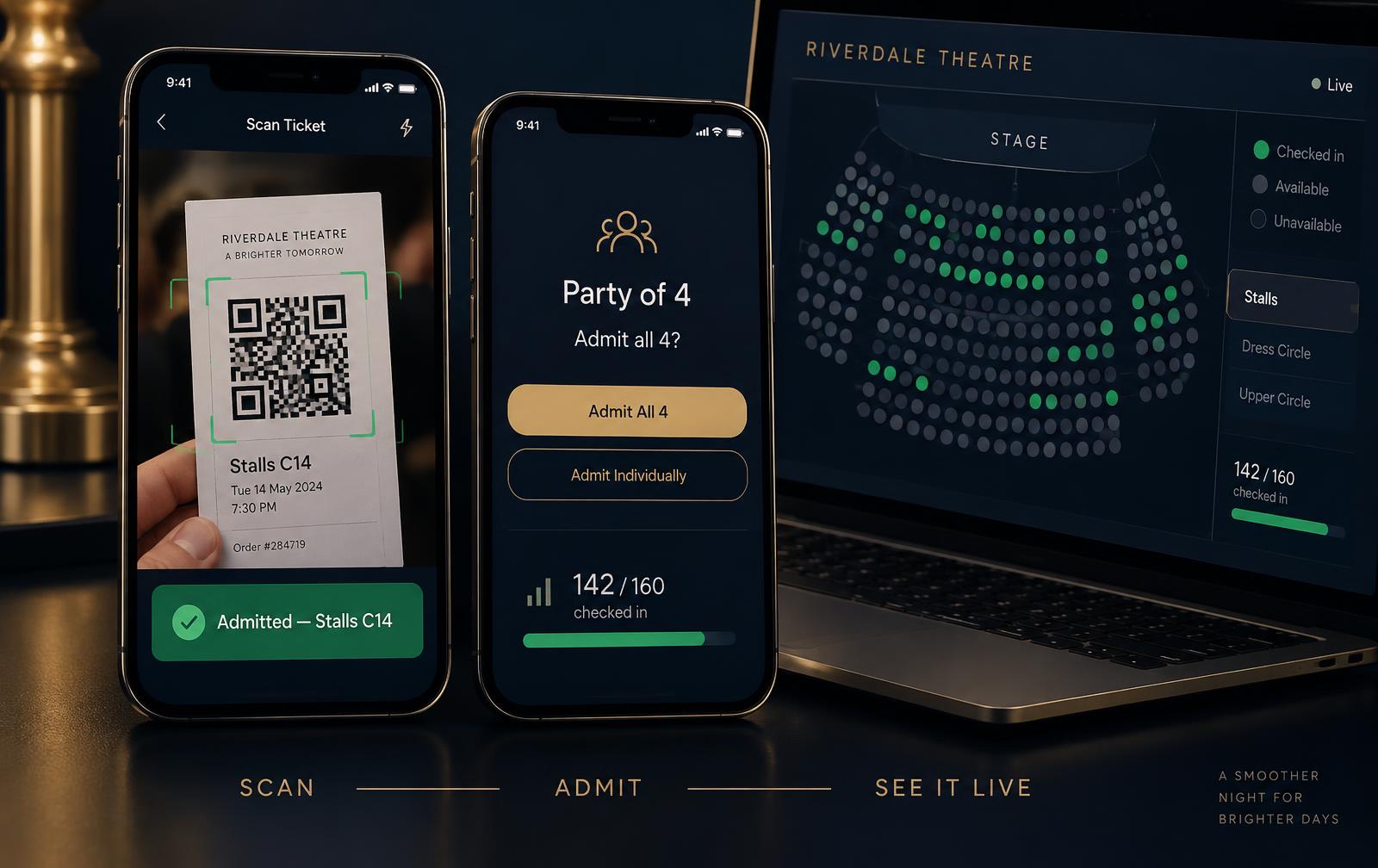
Doors open in four steps
- 01
Tickets go out
Every seat gets its own QR code, emailed the moment a booking is paid.
- 02
Give staff access
Grant scanner access to front of house staff from the Staff page.
- 03
Open the scanner
Staff open your scanner link on a phone and pick tonight's performance.
- 04
Scan and admit
A green tick admits the seat, or the whole party with one tap.
Built for a busy foyer
Any phone or tablet
Works in the browser on iPhone and Android. No app store, no handheld scanners.
Whole-party check-in
Scan a booking reference to admit everyone in the group at once.
Duplicate scans blocked
Each seat admits once, with a clear warning if a ticket is scanned again.
Live arrivals
See checked-in seats update on the performance plan as the house fills.
Sound and vibration
Optional confirmation sound and vibration so staff can keep their eyes on the queue.
Included in every plan
Scanning comes with TheatreOps Pro at no extra cost per ticket or per device.
Questions about ticket scanning
Do I need special hardware to scan tickets?
No. Staff scan QR tickets with the camera on any modern phone or tablet, straight from a web browser. There is no app to install.
Can one scan admit a whole group?
Yes. Every seat has its own QR code, and scanning the booking reference checks in the whole party at once. After a single-seat scan, staff can choose to admit the rest of the party.
What stops a ticket being used twice?
Each seat can only be checked in once. A repeat scan shows a clear warning with the time it was first scanned.
Can I see how many people have arrived?
Yes. The performance plan updates as customers are checked in, so the box office can see who has arrived and who is still to come.