Seating plans
Theatre seating plan software
Describe your room and get a seat map, or build one from scratch. Then set price bands and holds, and customers choose their own seats when they book.
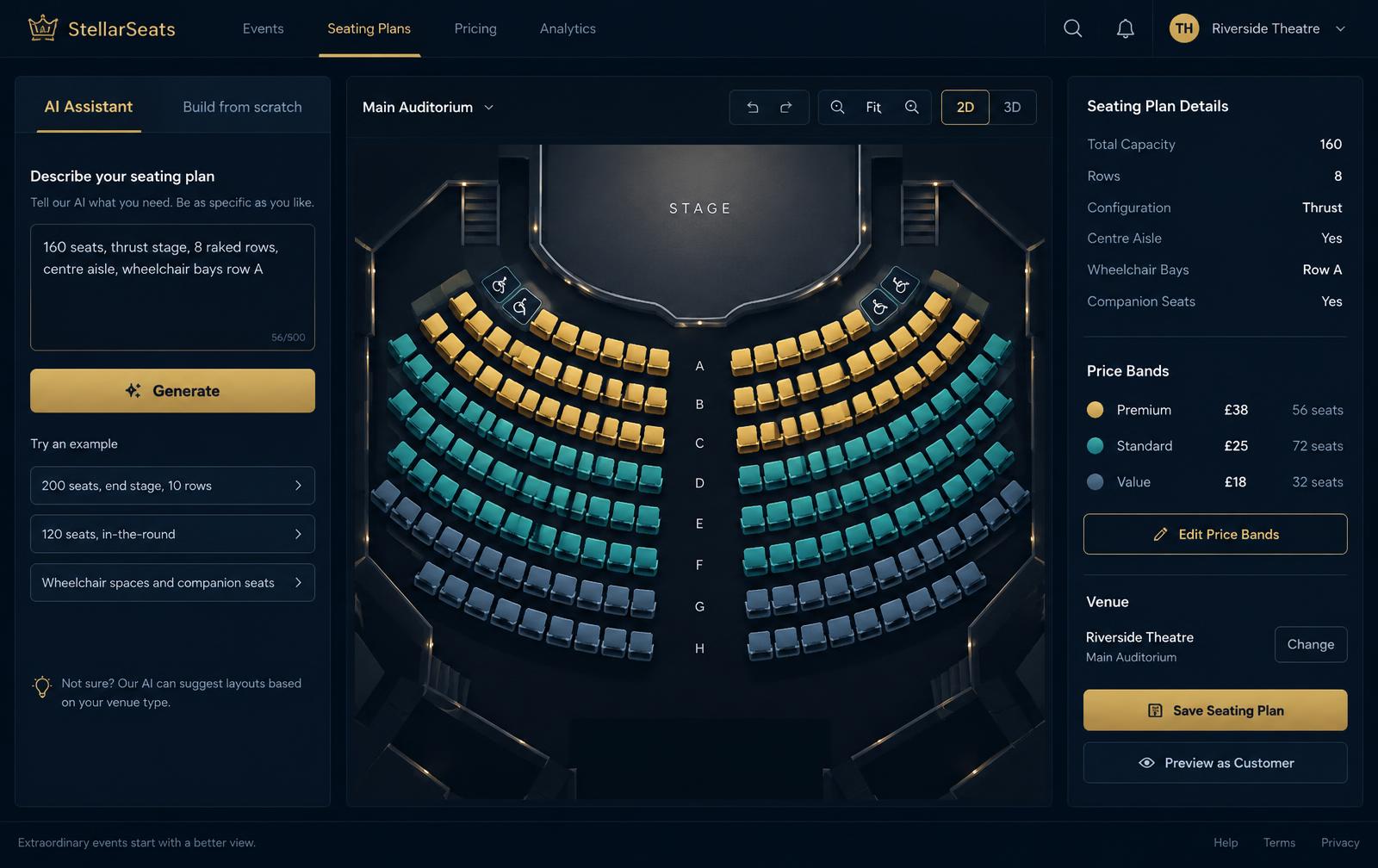
Your seat map in four steps
- 01
Describe the room
For example: 160 seats, thrust stage, 8 raked rows.
- 02
Fine-tune
Move rows, rename seats and add aisles or gaps.
- 03
Set price bands
Colour seats into bands with their own prices.
- 04
Hold and publish
Hold press and house seats, then attach the plan to a show.
Built around real auditoriums
AI layout
One sentence becomes a tidy, editable plan.
Row-by-row builder
Full control when you want to draw it yourself.
Price bands
Different prices for different areas of the house.
Seat holds
Keep seats back for press, house or company.
Accessible seating
Mark wheelchair spaces and companion seats.
Multiple layouts
Save a plan for each room configuration.
Questions about seating plans
How do I make a theatre seating plan?
Describe your room in a sentence, such as the number of seats, rows and stage shape, and the AI lays out the plan. You can also build it row by row and adjust any seat.
Can I have different prices for different seats?
Yes. Colour seats into price bands, such as premium, standard and restricted view, and each band has its own price per show.
Can I hold seats back from sale?
Yes. Hold seats for press, house or production use, and release them closer to the performance.
Can I have more than one layout?
Yes. Save different layouts, for example end-on and thrust, and choose the right one for each production.