Event management
Event management software for theatres
Put a show on your What's On in minutes. Add the details and poster, generate the whole run from a weekly pattern, test it, then publish.
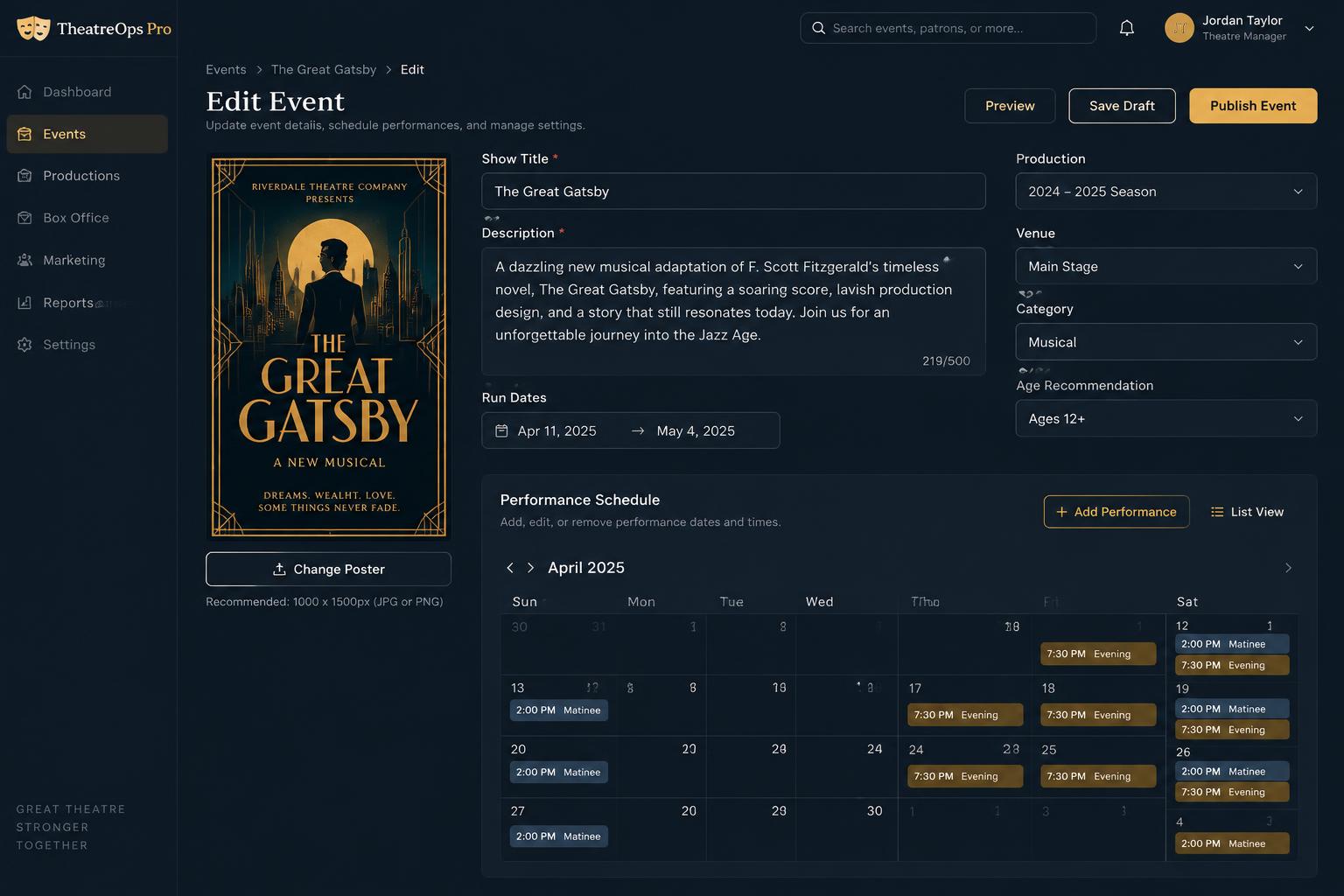
From idea to listing in four steps
- 01
Add the show
Title, description, running time, age guidance and poster.
- 02
Generate the run
Pick dates and a weekly pattern to create every performance.
- 03
Add special dates
Drop in extra matinees, a gala or a press night.
- 04
Publish
Preview, test a booking, then put it live on your What's On.
Everything a production needs
Posters and show pages
Each show gets its own page with poster, details and booking.
Whole runs in one click
Weekly patterns create weeks of performances at once.
Press nights
Flag a press night and unlock it with a promo code for invited guests.
Test before you sell
Shows start off sale so you can check everything first.
In-house or visiting
The right contract and settlement route for every production.
One venue calendar
See every production, closure and performance in one place.
Questions about creating events
How long does it take to set up a show?
Most venues add a show in a few minutes: title, description, poster and run dates, then generate the performances from a weekly pattern.
Can I create a whole run of performances at once?
Yes. Choose the date range and the days and times you play, and every performance is created in one go. You can add or remove single dates afterwards.
Can I test a show before it goes on sale?
Yes. New performances start off sale, so you can preview the page and make test bookings before releasing tickets to the public.
Does it work for visiting productions as well as our own?
Yes. Mark each show as in-house or visiting, and contracts, settlements and royalty statements follow the right route.